

eSniper
Available on the Subchain Launcher
Set your maximum. Activate when you’re ready.
Track an eBay auction, choose the most you’re willing to pay, and review its status before you activate controlled bidding.
Get via Subchain Launcher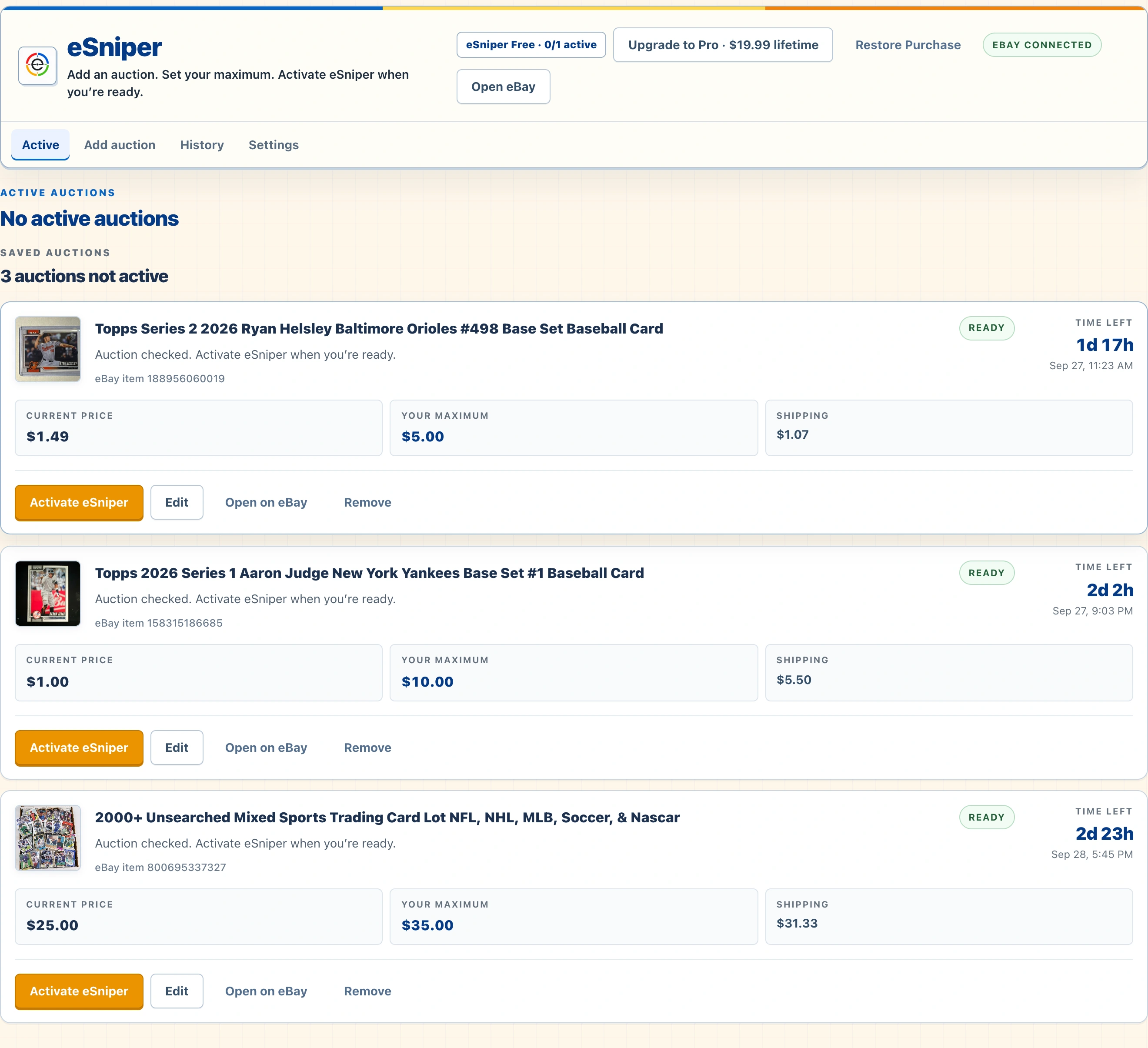
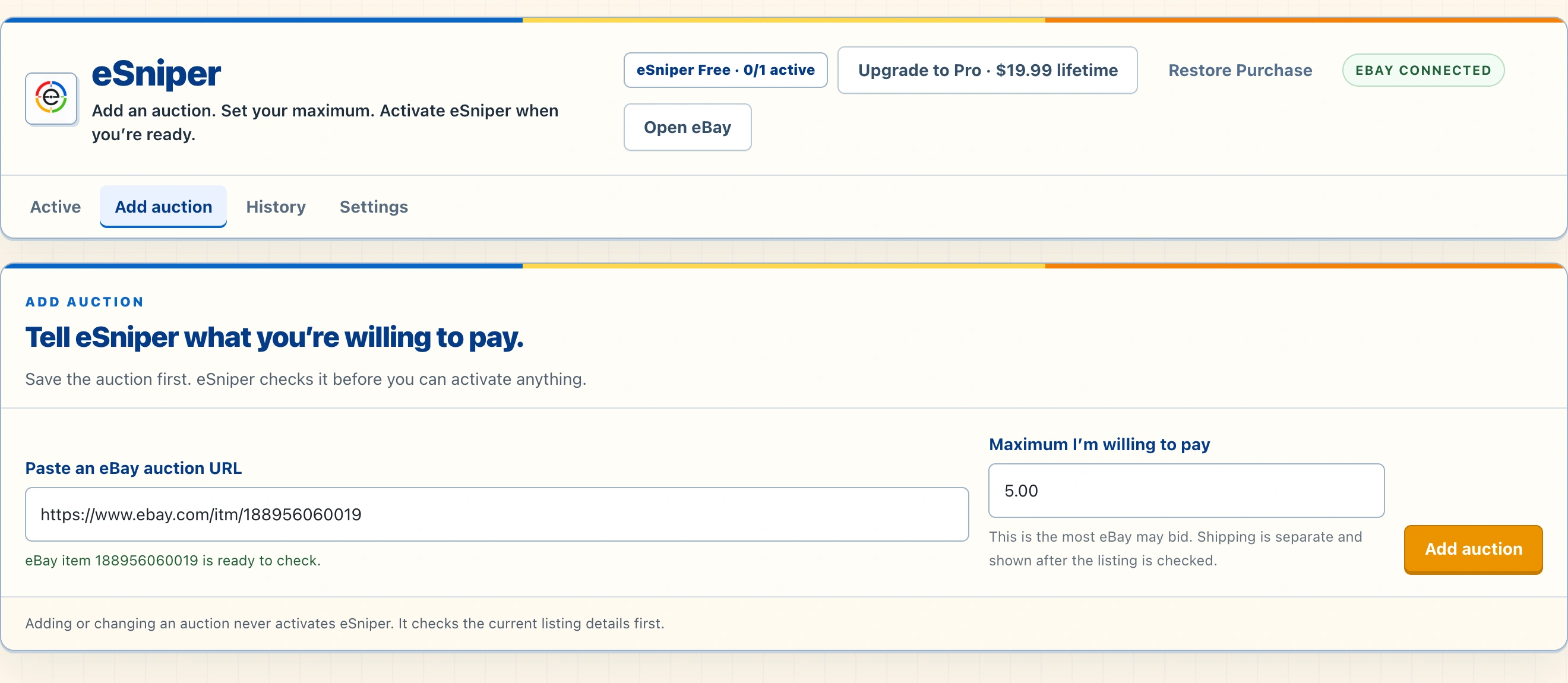
AUCTION SETUP
Add an auction and set your maximum.
Enter an eBay item URL or ID, then choose the most you are willing to pay. eSniper checks the listing before it can be activated.
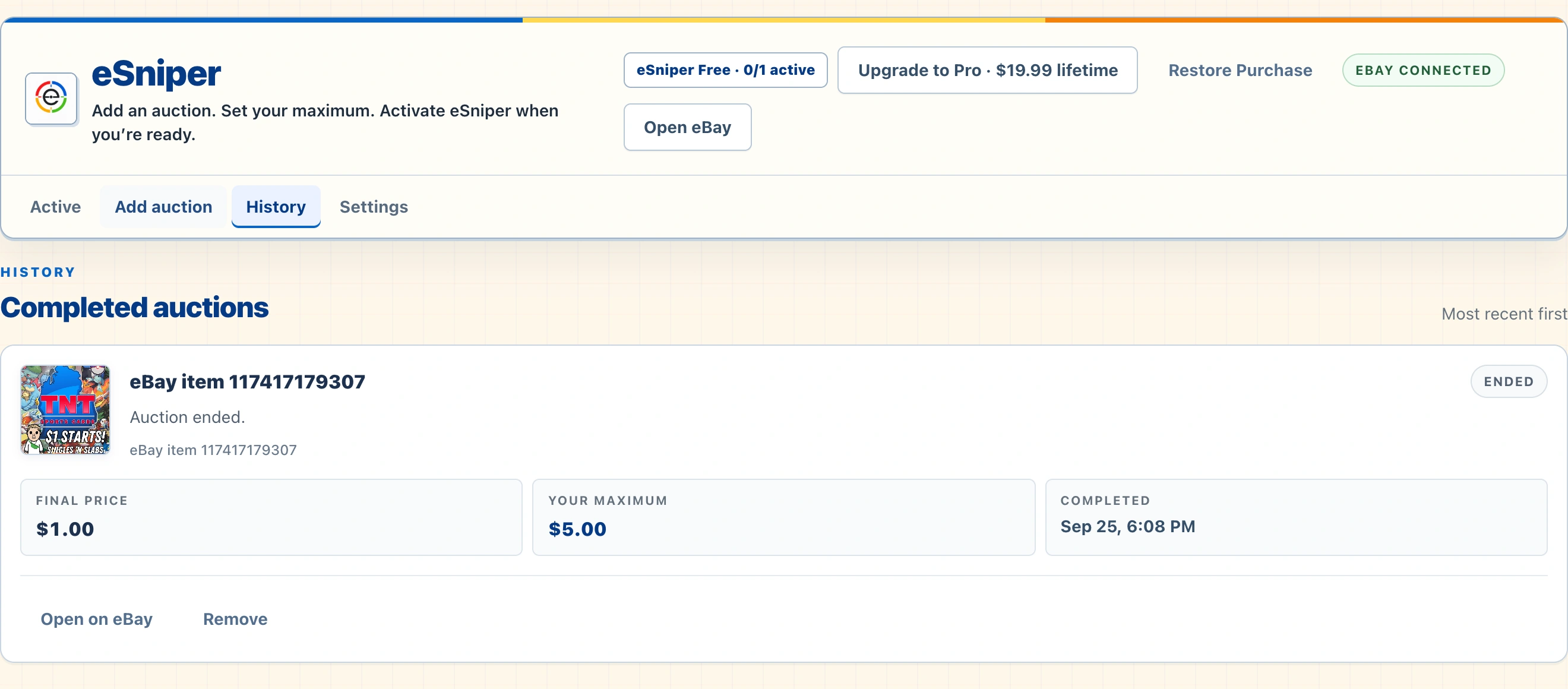
AUCTION HISTORY
Review completed auction activity.
The History tab records ended auctions with the final price, your saved maximum, and completion time.
Free and Pro
Start with one active auction.
Free includes 1 active auction. Pro expands capacity to up to 25 active auctions for $19.99 lifetime.
- Free1 active auction.
- Pro · $19.99 lifetimeUp to 25 active auctions.
How it fits together
A focused workflow, step by step.
- 01Add auction
Enter the eBay item URL or ID. eSniper checks the listing before activation.
- 02Set your maximum
Choose the highest amount you are willing to pay; shipping is shown separately.
- 03Review status
Check the eBay session and auction readiness shown in the app.
- 04Activate and track
When ready, activate eSniper to attempt final-window bidding within your maximum. eBay access, connection, timing, and auction results can vary.
eSniper is not affiliated with or endorsed by eBay. Bids are not guaranteed; eBay access, connection, timing, and auction conditions can affect results.